
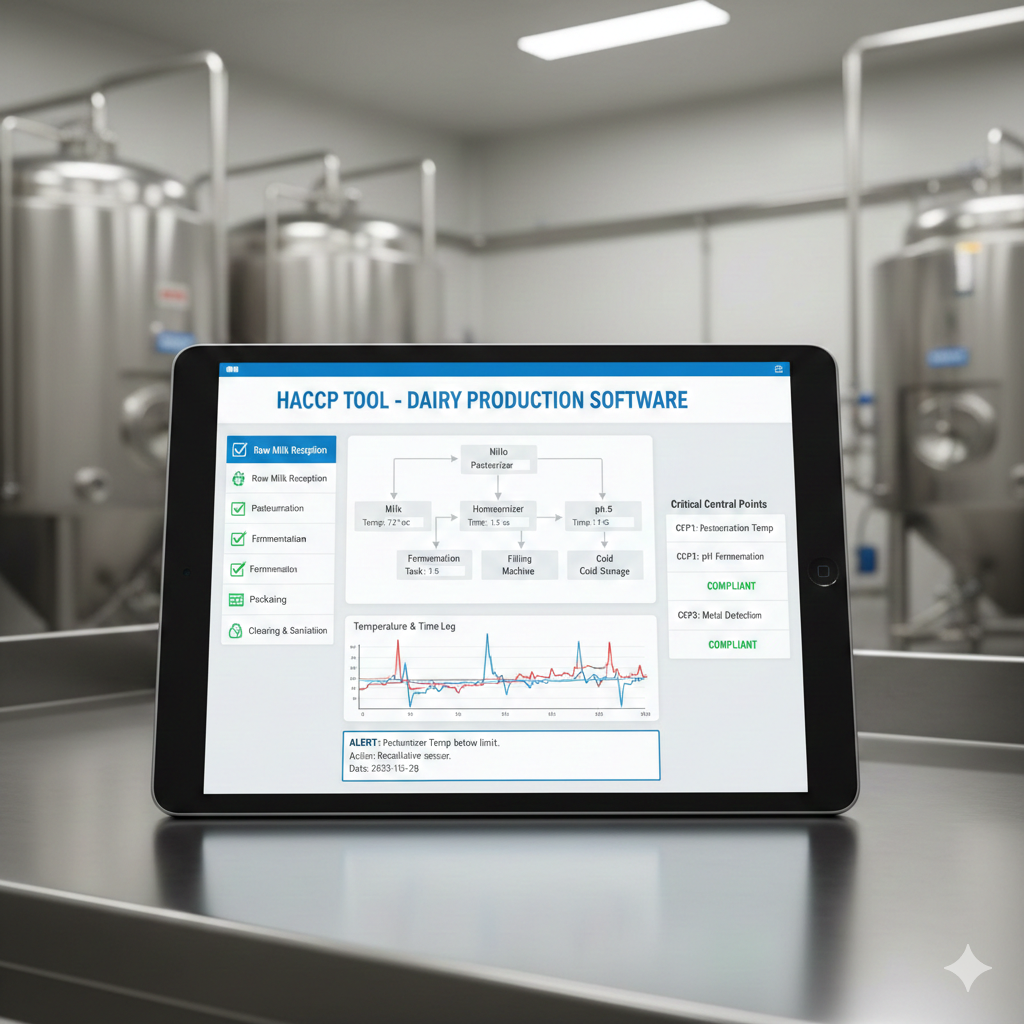
Managing HACCP compliance in dairy production no longer means drowning in paper logs and manual temperature checks. DairyCraftPro includes a built-in HACCP tool designed specifically for cheese and yogurt producers — one that automates safety monitoring, flags deviations in real time, and generates audit-ready reports with a few clicks. In this guide, we walk you through every step of setting up and using the HACCP tool settings in DairyCraftPro so your operation stays compliant from milk reception to finished product storage.
Why HACCP Matters for Every Dairy Operation
Hazard Analysis and Critical Control Points (HACCP) is a globally recognized food safety system that helps producers identify potential hazards and control them at every stage of production. For cheese and yogurt makers, this means monitoring pasteurization temperatures, tracking pH levels, verifying cooling times, and documenting corrective actions when something goes wrong.
Regulatory bodies across the United States, the European Union, and Latin America require some form of HACCP compliance for dairy facilities. Whether you are a small artisan cheesemaker or a mid-scale yogurt plant, having a digital system that handles HACCP monitoring removes the guesswork and significantly reduces the risk of costly recalls or failed inspections.
Getting Started: Accessing HACCP Settings in DairyCraftPro
The HACCP configuration page lives under the Management section of your DairyCraftPro dashboard. This is where you define what “safe” means for your specific products and incoming raw milk. Once configured, the system uses these settings to automatically evaluate every batch and milk reception entry you log.
Think of it as programming your own automated safety inspector — you set the rules once, and DairyCraftPro enforces them every single day.
Step 1: Creating Product Profiles
The first thing you need to do is create a Product Profile for each product you manufacture. If you produce mozzarella, cheddar, and Greek yogurt, for example, you would create three separate profiles since each product has different safety parameters.
For each product profile, you define acceptable ranges for the following critical control points:
Pasteurization Temperature and Time — Set the minimum temperature and holding time required for your pasteurization method. For example, 161°F (72°C) for 15 seconds for HTST pasteurization, or 145°F (63°C) for 30 minutes for batch pasteurization. Any reading below your configured threshold triggers a non-compliance flag.
Cooling Temperature and Time — Define how quickly your product must reach safe storage temperature after pasteurization or production. This is critical for preventing bacterial growth during the vulnerable post-heat treatment window.
pH Levels — Set the acceptable pH range for each stage of production. For cheese, this might mean ensuring pH drops below 6.6 during acidification. For yogurt, you may set a target range of 4.0–4.6 at the end of incubation.
Storage Temperature — Configure the maximum allowable storage temperature for your finished product. Most dairy products require storage below 40°F (4°C), but certain aged cheeses may have different requirements.
Protein Content — For producers who track protein levels as part of their quality and yield optimization, DairyCraftPro allows you to include protein thresholds in your HACCP profile as well.
Each of these parameters becomes a checkpoint that the system evaluates automatically every time you save a production batch.
Step 2: Configuring Milk Reception Limits
Raw milk quality is the foundation of safe dairy production. In DairyCraftPro, milk reception limits apply globally — meaning every incoming milk delivery is checked against the same set of thresholds regardless of which product it will be used for.
Here is what you configure in the milk reception settings:
Temperature on Arrival — Raw milk should arrive at or below a specific temperature (typically 40°F / 4°C). Any delivery that exceeds this limit is immediately flagged.
Antibiotic Test Result — This is a simple pass/fail parameter. The system requires a negative result. A positive antibiotic test automatically marks the reception as non-compliant.
Somatic Cell Count (SCC) — High somatic cell counts indicate possible mastitis in the herd and directly affect product quality. You set the maximum acceptable SCC, and the system flags any delivery that exceeds it.
Bacterial Count — Similar to SCC, you define the upper limit for total bacterial count. Milk with excessive bacterial loads poses a food safety risk and can compromise your production.
Freezing Point — The freezing point of milk is a reliable indicator of adulteration. Added water lowers the freezing point, so DairyCraftPro lets you set an acceptable range to detect potential dilution.
Once these limits are saved, every milk reception entry your operators log is automatically compared against them in real time.
Step 3: Enabling Dashboard Alerts
DairyCraftPro includes a toggle for HACCP alerts directly on your main dashboard. When enabled, any non-compliant milk reception or production batch generates a visible notification so managers and quality teams never miss a deviation.
This is especially valuable for operations where multiple team members handle different shifts. Instead of relying on verbal handoffs or paper notes, the dashboard gives everyone a centralized, real-time view of compliance status.
How HACCP Works During Daily Milk Reception
Once your settings are configured, here is what happens during a typical milk reception:
The operator receives a delivery and logs the required measurements — arrival temperature, antibiotic test result, somatic cell count, bacterial count, and freezing point. As soon as they enter these values, DairyCraftPro compares each one against the configured limits.
If all values fall within the acceptable range, the entry is marked as Compliant with a green status indicator.
If any value falls outside the acceptable range, the system immediately flags the entry as Non-Compliant and highlights the specific problem values in red. The operator cannot miss it.
At this point, the operator has the option to log a Corrective Action directly in the system. They document what happened, what steps they took, and what the outcome was — whether the milk was released for production, quarantined for further testing, or discarded entirely.
This creates a complete, timestamped record of the deviation and the response, exactly what auditors and inspectors look for.
How HACCP Works During Cheese and Yogurt Production
The production workflow follows a similar logic. When an operator starts a new batch, they select which HACCP Product Profile applies. If they are making mozzarella, they choose the mozzarella profile, and the system loads the corresponding safety parameters.
As the operator enters production data — pasteurization temperature and time, cooling readings, pH measurements, and storage temperature — DairyCraftPro displays live warnings whenever a value falls outside the safe range defined in the profile.
If a deviation occurs, the operator records a corrective action directly within the production form. There is no need to switch to a separate module or fill out a different document. Everything stays connected to that specific batch.
When the batch is saved, DairyCraftPro automatically determines the overall compliance status based on all recorded checkpoints. A batch that met every parameter gets a green compliant status. A batch with deviations and documented corrective actions gets an orange status. A batch with unresolved issues gets a red non-compliant flag.
Reviewing Compliance: The HACCP Results Page
The Results page in DairyCraftPro provides a high-level overview of your entire operation’s HACCP performance. Every batch appears with a color-coded status:
- Green — Fully compliant. All parameters were within acceptable limits.
- Orange — Corrective action was needed and documented. The deviation was addressed.
- Red — Non-compliant. One or more parameters were out of range and require attention.
This at-a-glance view allows managers and quality assurance teams to quickly identify trends, spot recurring issues, and take proactive steps before problems escalate.
The page also includes a compliance summary showing aggregate counts — how many batches passed, how many required corrective action, and how many failed. This is invaluable for tracking improvement over time and demonstrating due diligence to regulatory bodies.
Generating Audit-Ready HACCP Reports
One of the most powerful features of the HACCP tool in DairyCraftPro is the ability to generate a formatted HACCP Report for any individual batch. With one click, the system produces a comprehensive Excel report that includes:
- The configured HACCP limits for the product profile used
- The actual readings recorded during production
- A pass/fail status for each individual checkpoint
- Any corrective actions that were documented
These reports are available in both English and Spanish, making them ideal for dairy operations across the Americas and for facilities that work with bilingual teams or export to different markets.
Instead of spending hours compiling records before an audit, you can generate a professional, complete report in seconds. This alone saves significant administrative time and dramatically reduces the stress of regulatory inspections.
Best Practices for Configuring Your HACCP Settings
To get the most out of DairyCraftPro’s HACCP tool, consider these practical recommendations:
Start with your regulatory requirements. Before configuring product profiles, review the HACCP standards that apply to your market. FDA, USDA, and local health departments may have specific requirements for pasteurization, storage, and testing that should form your baseline.
Be specific with each product profile. Do not use a single generic profile for all your products. Mozzarella has different moisture, pH, and storage requirements than cheddar or yogurt. Accurate profiles lead to meaningful compliance data.
Calibrate your instruments regularly. DairyCraftPro can only evaluate the data your operators enter. Make sure thermometers, pH meters, and testing equipment are properly calibrated so the readings are accurate.
Train your team on corrective actions. Every operator should know not just how to log a deviation, but what corrective action to take for each type of issue. Documenting a corrective action is only valuable if the action itself was appropriate.
Review your compliance summary weekly. Do not wait for an audit to look at your HACCP data. A weekly review helps you catch patterns early — like a supplier consistently delivering milk at borderline temperatures — before they become real problems.
How DairyCraftPro Compares to Paper-Based HACCP Systems
Traditional paper-based HACCP management suffers from several well-known problems: handwriting that is hard to read, logs that get lost or damaged, missed entries during busy shifts, and hours of manual compilation before an audit.
DairyCraftPro eliminates all of these issues. Every entry is digital, timestamped, and permanently stored. Alerts are automatic. Reports are generated instantly. And because the system evaluates compliance in real time, deviations are caught the moment they happen — not days later when someone reviews a stack of paper logs.
For small and mid-scale dairy producers who cannot afford a dedicated quality assurance department, this level of automated monitoring is a game-changer. It brings enterprise-level HACCP compliance within reach of artisan operations.
Conclusion
Setting up the HACCP tool in DairyCraftPro is a straightforward process that pays enormous dividends in food safety, regulatory compliance, and operational efficiency. By defining product profiles with specific safety parameters, configuring milk reception limits, and enabling real-time alerts, you transform DairyCraftPro into an automated compliance system that works alongside your team every day.
From flagging non-compliant milk deliveries to generating bilingual audit reports in seconds, the HACCP tool in DairyCraftPro gives dairy producers the confidence that every batch meets the highest safety standards — without the paperwork burden.
Ready to set up HACCP monitoring for your dairy operation? Book a free demo or create your account to get started today.